Screenless Typing
Formulating novel ways for the blind and visually impaired to type screenless over entirely auditory keyboards. Publication: "Typing Slowly but Screen-Free: Exploring Navigation over Entirely Auditory Keyboards" (ASSETS 2019). The study is supported through a Google Faculty Research Award and a National Science Foundation (NSF) Grant.
In 30 seconds
- The tangle
- VoiceOver's QWERTY keyboard is slow and hard for blind and visually impaired users, especially while multitasking, because it still assumes a screen-centric, hands-busy device.
- My move
- I led research and design on Keyflow from 2019, running a 20-participant blind-user study and then exploring four new auditory layouts to cut cognitive load.
- What changed
- Most participants could type at least one word screenlessly, though slowly, with three distinct navigation behaviors emerging; a comparative VoiceOver study is planned but not yet reported.
Overview
Overview
Typing messages for the blind and visually impaired using the Voiceover QWERTY keyboard is difficult and time consuming. The challenges increase exponentially especially while multitasking. My Role: I lead the UX Research and Experience Design for Screenless Typing from August 2019 — facilitated a user study to understand the user experience of Keyflows v1, analyzed and published the findings of the study, explored alternative Keyflow layouts with a new input device, and prototyped the new keyflow layouts while planning a new study. Key Contributions: Interaction Design, Usability testing, Technology exploration and Research analysis.
Context
We inhabit screen-centric lives
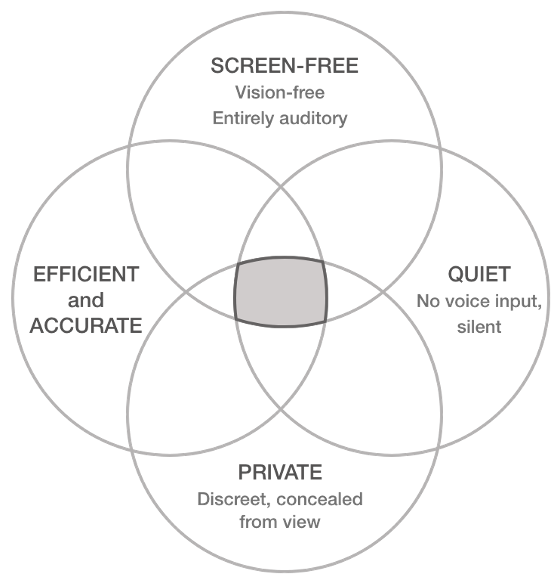
Our physical and cognitive capacity revolves around a screen to access digital services, even when they are fully auditory, and may not require a visual display. Typing on visual keyboards remains a challenge for people who are blind. In general, existing advances assume the presence of a hands-busy, mobile device as the "glue" of the interaction.
What's in a screen?
A visual display of spatial information and affordances and a surface for spatial selection and navigation.
Shortcomings of current screen-centric methods
Users need to simultaneously hold a cane and the phone. Hands-device coordination. Holding out the phone at all times. Issues of privacy. Voice could reduce screen interaction but it's not private or quiet.
The Problem
Is it possible to re-imagine keyboards without a screen? Entirely time-based aural structures amenable to some form of screen-free input control.
The Team
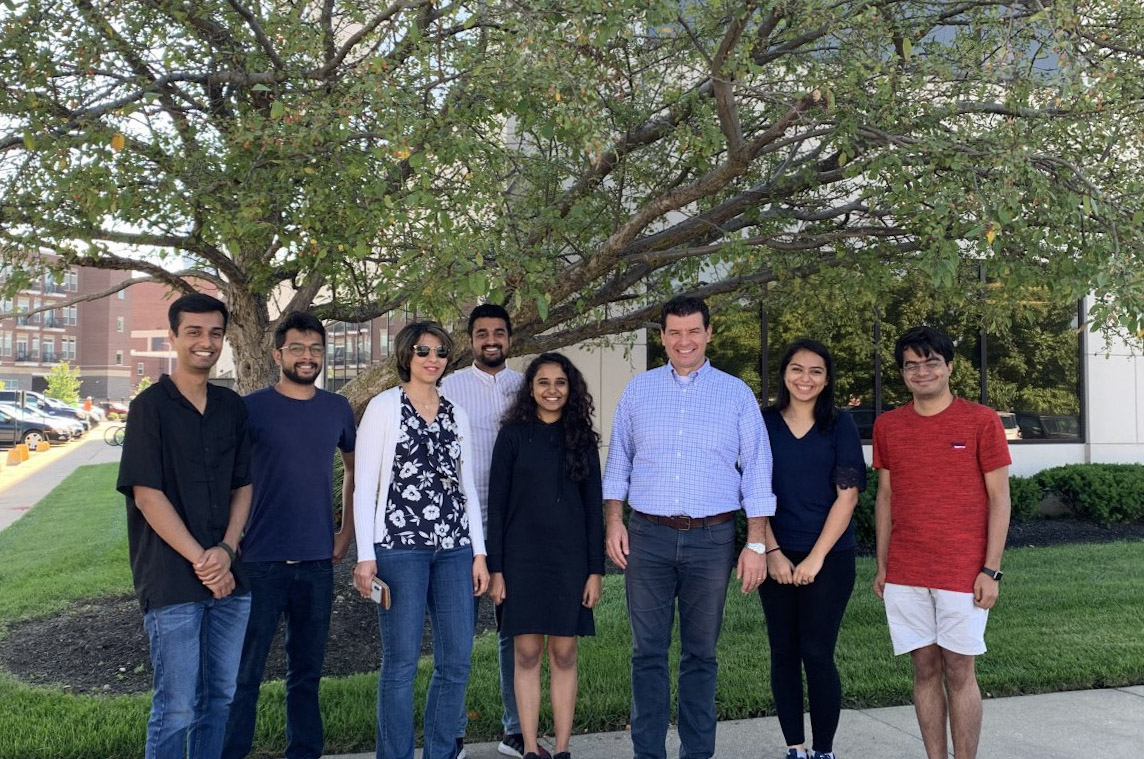
Swaroop John, Tarang Gupta, Pegah Karimi, Parimal Vyas, Sharvari Jalit, Dr. Davide Bolchini, Pooja Vazirani, Rahul.
Prototype v1 and Research
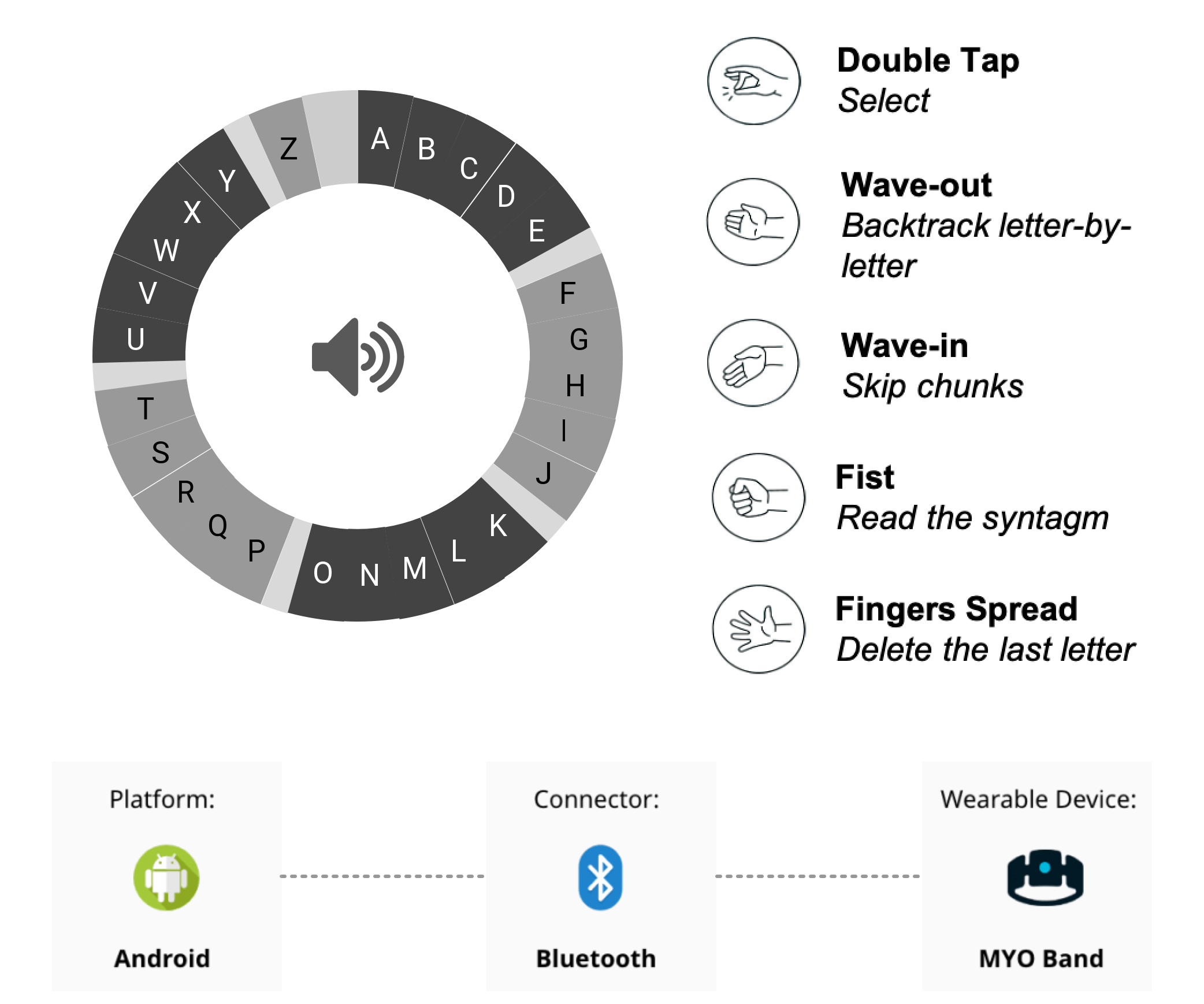
This video is the first manifestation of an auditory keyboard called keyflow. In this prototype users had to perform gestures to interact with the keyflow. This was prototyped before I joined the study.
Details
The letters are looped continuously by the keyflow in an A-Z order. These 26 alphabets are divided in groups of 5 called chunks. These letters are divided in chunks to get to a latter letter faster. The users perform simple combinations of gestures to select a character, skip chunks forward, go letter-by-letter backwards, delete characters and pronounce letters or words framed. Auditory and haptic cues (vibrations of the band) are also embedded to provide feedback to the user.
Goals of the Study
I was a part of the research starting from conducting a user study: investigate the user experience and performance of people who are blind during their first exposure to a screen-free, entirely auditory keyboard; gauge their navigation behavior in controlling keyflows; understand the limits and potential of this approach to enhance the accessibility of typing.
User Study
20 users — exploratory empirical study with 20 participants who are blind.
Results
Slow Typing — most participants were able to type at least one word in screenless mode but typing took an inordinately long amount of time. Self Reported User Experience: the convenience of keeping the phone out of sight; typing short messages on-the-go; users wanted to control the speed; users adapted to using a new system by the three navigation behaviors that emerged. Experience Breakpoints: the Myo armband posed barriers to optimal and fluid interaction.
Discussion
The desired space of entirely auditory keyboards: liberated from screen but tied to time. Inefficiencies: linear structure, armband, cognitive load (attention fatigue). "Initial-typing" connected to the aural flow of suggested words. Keyflows have a broader potential for situations that require covert, concealed from view, silent aural text manipulation.
Future Steps
Improving the efficiency of the Keyflow — nimble ways to model the keyflow to reduce the cognitive load. Action taken: new keyflow layouts were explored. Alternative screen-free input devices. Action taken: TapStrap as a device showed potential.
Prototype v2 and Ongoing Research
Four new models for Keyflow layouts, alongside exploration of an alternative screen-free input device.
Landmark based
The landmarks enable progressive disclosure and larger selection areas. Applying Fitt's Law the window of time increases to make a selection.
Vowel-assisted
Vowels are the nucleus of any word and recurrent in word-formation. This layout gives its users the ability to directly access vowels.
Character scanning
The on-demand nature, compared to all other constantly running infinite loop, reduces the need for constant attention and hearing fatigue.
n-Gram probabilistic
This layout suggests the most probable letters until three "grams", after which the keyflow switches to suggesting words.
Alternative Input Technology — TapStrap v2
The Tap Strap lets you type & mouse into any Bluetooth enabled device, using any surface. The TapMapper tool lets you create, save and share custom maps — you can type in any language, trigger hotkeys and build custom macros. Next Steps: a comparative user study, Keyflow v/s VoiceOver.
Key Challenges and Learnings
Prototyping a screenless design
To design better for an Auditory User Interface (AUI) and to improve it we used Amazon Polly, simulation videos and developed prototypes to gauge the prototypes' pros and cons.
Defining an Ix Architecture for keyflows
Maintaining a balance between features and complexity. Not too complex but with enough features.
Hypothesizing experience breakpoints
Doing pilot tests and documenting results to understand where the system could be improved to get the best out of the actual study.
Evidence and attribution
Owner-published case study. Public copy is verbatim from the owner's original case-study page (content/migrations/legacy-portfolio/cache/screenless/scrape-raw.json).
Evidence IDs: evidence_screenless_publication, evidence_screenless_user_study, evidence_screenless_funding
I'd love to connect with you.
For the underlying artifacts, contribution detail, or a walkthrough of the work, get in touch.
Start a conversation